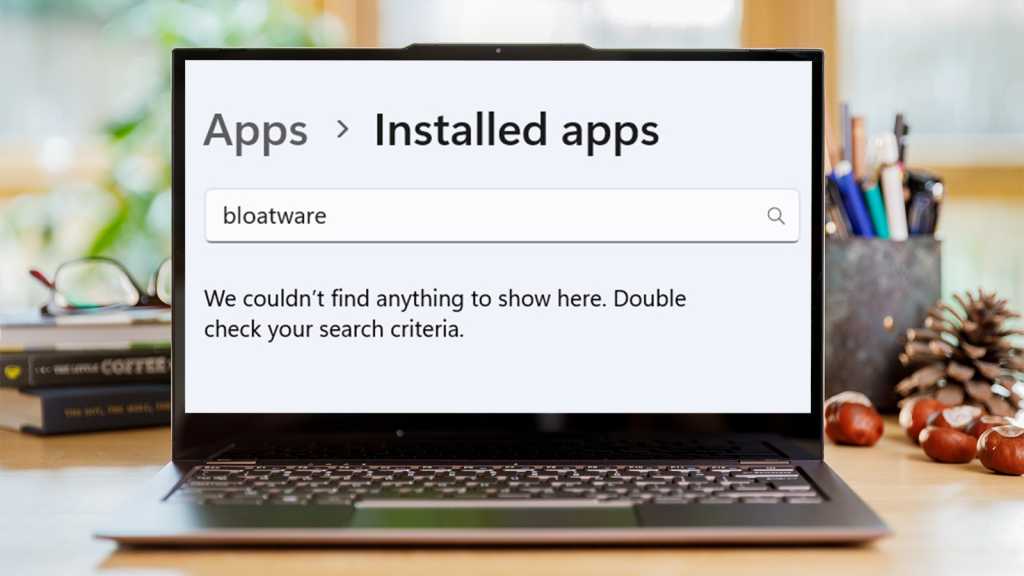
The thrill of unboxing a brand new PC, powered by the latest Windows 11, is often quickly dampened by a familiar foe: bloatware. That initial pristine experience can swiftly devolve into a cluttered digital landscape, teeming with pre-installed applications, trialware, and unsolicited ads that hog resources, compromise privacy, and diminish performance. For years, users have silently accepted this digital burden, but a new wave of accessible tools is empowering individuals to strip away the "grossness" and reclaim control over their machines.
The Unseen Burden: Why Bloatware Persists
Bloatware isn't merely an annoyance; it's a deeply embedded strategy by manufacturers and even Microsoft itself. OEMs often preload software from third-party partners as a revenue stream, offering trials of antivirus suites, productivity tools, or proprietary utilities that many users neither want nor need. Microsoft, too, has been criticized for integrating what some consider unnecessary apps and services—from the increasingly verbose Cortana to pre-installed games and an ever-present stream of ads within the Start Menu and Lock Screen.
This digital clutter exacts a real toll. At best, it's an aesthetic nuisance. At worst, it can:
- Degrade Performance: Background processes from unwanted apps consume RAM and CPU cycles, leading to slower boot times, sluggish multi-tasking, and reduced responsiveness.
- Waste Storage: Even if unused, pre-installed software takes up valuable disk space, particularly problematic for devices with smaller SSDs.
- Compromise Privacy: Many pre-installed apps come with their own telemetry and data collection practices, often without clear user consent or understanding.
- Introduce Security Risks: Unmaintained or vulnerable third-party software can create potential entry points for malware or exploits.
- Clutter the User Interface: A clean, intuitive operating system is fundamental to a good user experience. Bloatware undoes this, filling menus and notifications with unwanted distractions.
Empowering the User: The Rise of Streamlining Utilities
While manual removal of bloatware is possible, it's often a painstaking and incomplete process, requiring users to navigate obscure settings and risk removing essential system components. This is where dedicated streamlining utilities have emerged as a game-changer. These tools, often free and community-driven, are designed to automate and simplify the process of debloating a Windows 11 installation.
Typically, these applications work by:
- Identifying and Listing Bloat: They scan the system to identify common unwanted applications, services, and telemetry settings.
- Automated Removal/Disabling: With user confirmation, they can safely uninstall, disable, or modify system settings to remove specific bloatware or reduce data collection.
- Optimizing Performance: Beyond just removal, some tools offer tweaks to improve network settings, privacy options, and overall system responsiveness.
The benefits are immediate and tangible: a faster PC, more available storage, a cleaner Start Menu, and enhanced privacy. However, users must exercise caution. Not all tools are created equal, and some might remove legitimate or even critical system components if not used discerningly. It's crucial to research reputable tools, understand what changes they propose, and ideally, create a system restore point before proceeding.
Beyond the Fix: Future Implications for PC Ownership
The prevalence of bloatware and the necessity of third-party tools to combat it highlight a broader tension in the tech industry: the delicate balance between corporate monetization and user experience. As operating systems become more integrated with cloud services and "ecosystems," the line between essential features and promotional content blurs further. This trend raises questions about digital autonomy and the true cost of "free" software updates.
For Microsoft, the challenge is significant. While bloatware provides a lucrative revenue stream, a growing user base is actively seeking ways to circumvent it, potentially undermining the value of those partnerships. The rise of these debloating tools could pressure Microsoft to offer more customizable, cleaner installations out of the box, or at least provide clearer options for users to opt-out of unwanted software and services.
Ultimately, the accessibility of these streamlining utilities signals a shift towards greater user empowerment. It underscores a collective desire for cleaner, faster, and more private computing experiences. As technology continues to evolve, the battle for digital clarity in a world increasingly filled with digital noise will remain a critical frontier for PC users everywhere.
Reclaiming your PC from digital clutter is more than just a tech tip; it's a step towards asserting control over your personal digital environment.